Help
Frequently asked questions
Updated: 29 September 2026
The questions we see most often. Suggestions welcome.
Only the Terms of Service and the Privacy Policy are legally binding. This FAQ is guidance only.
Are the generated models really printable?
Usually, but we make no promises. Exporting to STL, 3MF or OBJ automatically prepares the model: we fill it into a solid body. If that does not work, we close holes, fix normals and merge loose parts into a single body instead. The model then stands upright on the build plate. That pass is best-effort, not a certification. Open the file in your slicer and look it over before you print.
What happens if a print fails?
Sorting it out is on you. We do not replace failed prints and we do not credit them back. You can re-download the file at no extra cost, in another format as well, and give it another go with different slicer settings, as long as the model is still stored (retention periods in Terms §1). Our Terms apply, and your statutory rights are untouched.
How does the credit system work?
One job in the generator produces four image variants and costs 2 credits. Building the mesh is a separate step and currently costs 8 credits. Both prices can change; what a job actually cost is listed under Profile → Credits. If a generation fails, we release the reserved credits again.
Can I upload my own style?
Yes, as an inspiration image. In the generator you can pick one of the curated styles or upload an image (PNG, JPG or WebP, up to 8 MB). We check it, sum up its style in a short style phrase and then discard the image; it is not stored. The style phrase adds to your prompt, it does not replace your subject. Off limits include real people, brands, logos and well-known characters (Terms §5, §6). Models made with an inspiration image cannot be shared in the community. You cannot train your own style model (LoRA).
What is the community section?
Models shared by other users, each reviewed by our admins first. A download costs you credits and unlocks every format. Those credits only reach the creator if you have paid real money for credits at some point. That keeps people from passing the signup bonus around between throwaway accounts.
How can I have my own miniatures made for 3D printing?
You describe the figure in English or German, pick one of four images, and that image becomes a mesh you download as STL, OBJ or 3MF. The longest edge is 32 mm. Four images cost 2 credits, the mesh currently 8. New accounts start with 20 credits.
How do I make tabletop terrain for 3D printing?
You describe the terrain piece in English or German, pick one of four images, and that image becomes a mesh you download as STL, OBJ or 3MF. The longest edge is 80 mm, 120 mm for buildings. Four images cost 2 credits, the mesh currently 8. New accounts start with 20 credits.
Can I write prompts in English?
Yes — you can write in English or German. Internally we phrase your object description in English for the image model (a German description gets translated) and keep your object and your details. We do not swap it for a “similar” motif.
What size do miniatures and terrain come out?
On export we scale the longest edge: miniature figure 32 mm, terrain piece 80 mm, building 120 mm. That applies when you pick the matching category in the generator; other categories have their own sizes, such as creature 50 mm or large set piece 160 mm. Without a category we scale the longest edge to 50 mm; for another size, rescale in your slicer. For miniature figures the image model also gets the hint “28mm heroic scale” — that sets proportions in the picture, not the millimetre size of the file. Terrain and buildings are playably compressed, not 1:56.
Which formats can I download?
After the mesh you download STL, OBJ or 3MF. The app shows a GLB preview. Community models you buy come in the same three formats. The public community view shows only a preview image and a turntable video, never a 3D file.
Are the models pre-supported? Resin or FDM?
No, we do not add supports. On export we fill the model into a solid body. With the “Resin-ready” switch in the export dialog we hollow it instead: it gets a wall of 2 mm by default and per cavity drain holes at the bottom, so liquid resin can run out (bigger cavities get more of them), plus a vent hole at the top, so air can flow in and no suction cup forms. Close the top hole with a drop of resin after washing. If a model is too thin for that, the dialog says so and you export it solid. The model stands upright on the build plate. Supports and orientation are up to your slicer, for resin for example with its auto-support function. Resin printing (SLA/MSLA) is our standard case and the export is tuned for it. FDM works too, but fine details such as faces or engravings visibly suffer.
May I use the files commercially?
No, not at the moment. The standard licence under Terms §4 covers private, non-commercial use: you may print the downloaded file as often as you like, modify it, share it within your gaming group and use it in your own tabletop sessions that are not sold. It does not cover selling the file or printed figures (for example on Etsy, eBay, Kickstarter or at conventions), commercial use in your own products, or a monetised re-upload to marketplaces such as MyMiniFactory, Cults3D or Thingiverse. If you are interested, write to kontakt@hainprint.com with the concrete idea and any conditions you have in mind. The exception is offering your own models in the community marketplace under Terms §7: there you receive credits, not money. Community models you buy are likewise licensed for private use only.
How long does it take?
The four images usually take under 30 seconds. The mesh takes a few minutes, so far a little over three and a half minutes of compute time on average. The first export to STL, OBJ or 3MF adds another 1 to 3 minutes; after that the file is ready instantly. If the mesh server has been idle for a while, it has to start up first, and the first job after that can take up to about 20 minutes. You do not have to wait on the page: the bell in the app tells you when images or the mesh are done.
Roughly how much does a finished model cost in euros?
One run with four images (2 credits) and one mesh (currently 8 credits) takes 10 credits. With the current packs a credit costs about 10 to 12 cents, so a finished model comes to roughly €1.00 on the subscription up to €1.18 with the smallest one-off pack. Every further image job or mesh rebuild costs extra accordingly. The 20 starter credits cover two runs. The amount in checkout is binding; the current packs are on the pricing page.
How long are my files kept?
Not forever, so keep your own copies of downloaded files. Under Terms §1 we delete generations without a 3D model after 30 days, 3D models that were never downloaded after 90 days, and downloaded 3D models 180 days after the last download; every download restarts that clock. Export files (STL, OBJ, 3MF) are removed after 30 days, but they can be regenerated from the 3D model. Community releases stay for as long as the release stands.
Are proof photos and videos stored?
Yes. Unlike an inspiration image, which we discard after checking it, we store a photo or a short video (20 seconds at most) of your printed model that you upload when sharing to the community. A photo is a photographic image and a video is a moving-image work. We strip metadata such as GPS coordinates first. We do not store the recorded soundtrack. From a video we take still frames, check only those, and do not keep them. By uploading it you confirm that you took it yourself and that no recognisable people are in it. The proof appears inside the app, in the community and the showcase. We only show it on our public home page and our social media channels if you separately agree when sharing; you can withdraw that consent in the app at any time. If you delete your account, we always delete it. If you withdraw the release in the app, we delete it too; that works as long as the model has not been sold, after a sale the proof stays with the release. If we reject or hide the release, the proof stays stored with it. An upload that never gets attached to a release is deleted after 7 days (Terms §7, Privacy Policy sections 2, 4 and 6).
Can I delete my data?
You delete individual generations in the gallery — irreversibly, including images, mesh and exports. There you can also delete just the 3D model of one variant; the image stays. If a model has already been bought in the community, buyers keep their download, and removing it then goes through support. You delete the whole account under Profile: account, generations, credits, community posts, proof photos, proof videos and marketing contact (GDPR Art. 17). In the deletion dialog you can instead choose to leave your community models up without your name; for that you grant a perpetual, irrevocable licence. They then pass to the platform without your display name, prompt, caption, proof photo or video; credits from later sales go to the platform. That makes them pseudonymised, not anonymous: an internal erasure ID links them to your billing records for the retention period. With that ID you can still have them removed through support afterwards (Terms §7, Privacy Policy section 8). What happens to unused credits is set out in Terms §3.
Which categories are available as presets?
The category decides what kind of object you get: its shape, how it stands and its size on export. You pick it in the generator under “Style & category”; it is optional and combines freely with a style. The millimetres are the longest edge of the exported file; without a category it is 50 mm. The example images come straight from the generator without retouching.
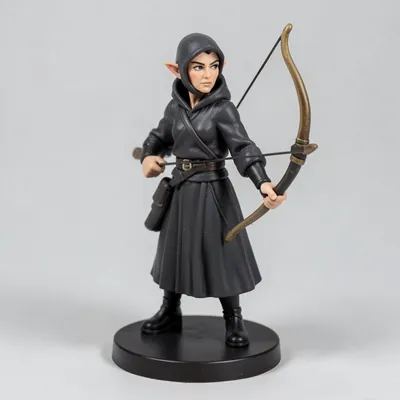
Miniature figure
32 mm
A single tabletop figure with a clear pose and a solid round base, in a common tabletop scale.
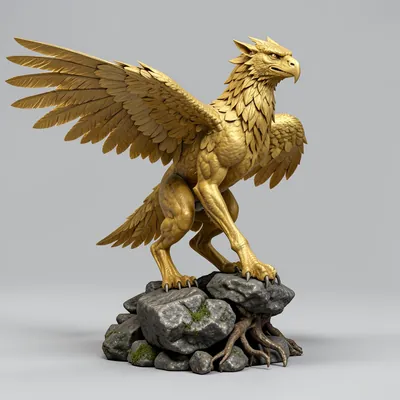
Creature
50 mm
An animal or monster that stands securely on several legs, usually on its own terrain base.
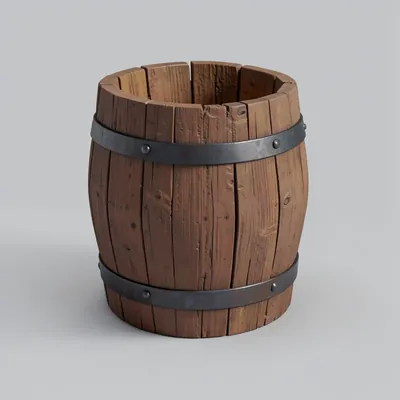
Small prop
50 mm
A single item such as a chest, barrel or weapon, compact and with a flat underside.
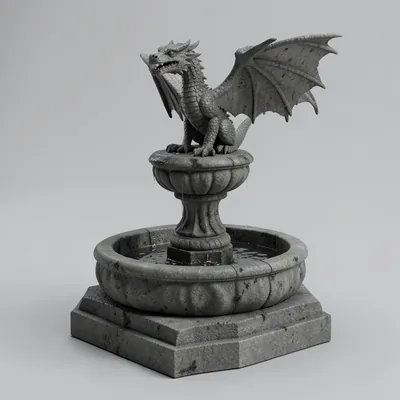
Large set piece
160 mm
A centrepiece for the scene, such as a fountain, altar or statue, on a wide and steady footing.
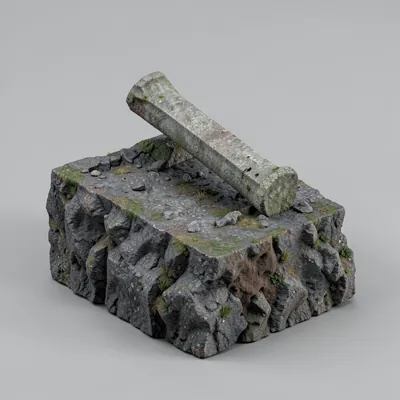
Terrain piece
80 mm
A piece of ground, rock or ruin with a playable top that combines with other terrain pieces.
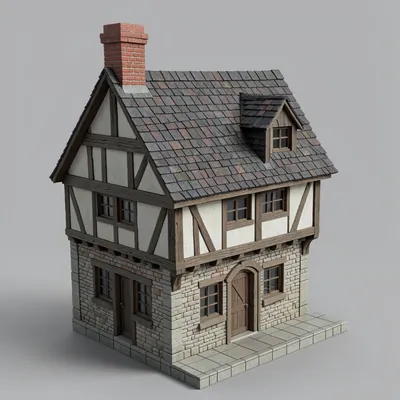
Building
120 mm
A freestanding house with four sides, a door sized for figures and clearly shaped masonry and roof.
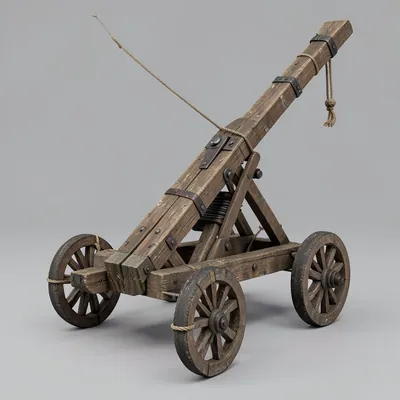
Vehicle & siege engine
130 mm
A cart, boat or catapult on a sturdy frame, with wheels or runners firmly attached.
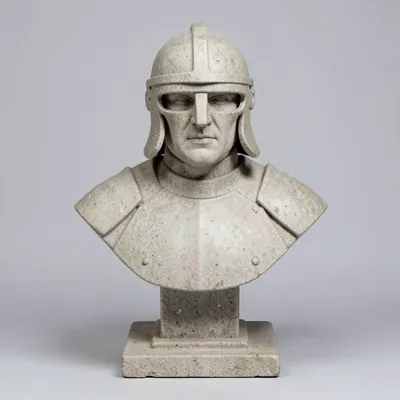
Bust
80 mm
Head and upper body of a character on a pedestal, with a more finely worked face than a miniature.
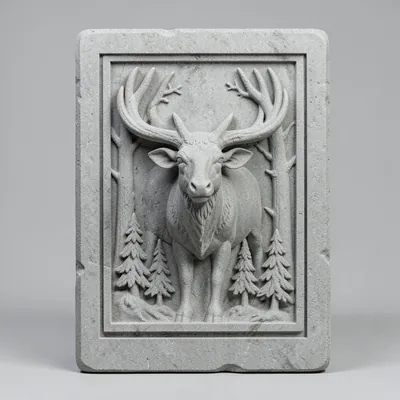
Relief & plaque
100 mm
A flat picture in relief with a smooth back and a frame, for hanging or standing up.
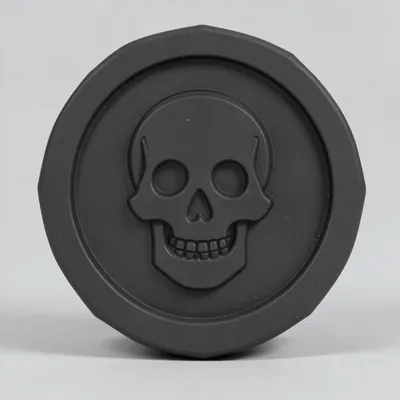
Token & marker
32 mm
A flat game marker with a raised rim and a bold symbol in the middle.
Which styles are available as presets?
The style sets the material and surface of your model. You pick it in the generator under “Style & category”; it is optional and combines freely with a category. It adds to your description and never replaces your subject. Every example shows the same chest, straight from the generator without retouching; every generation turns out a little different. You can also save your own presets under “My presets”.
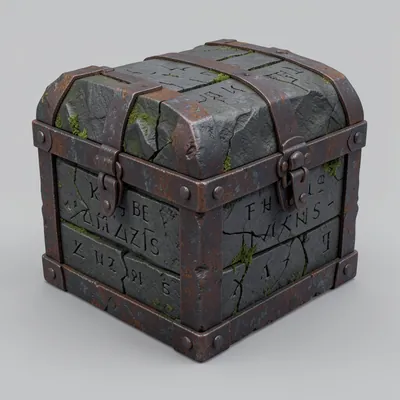
Dark ruin - stone & moss
Weathered dark stone with cracks, runes and moss in the recesses.
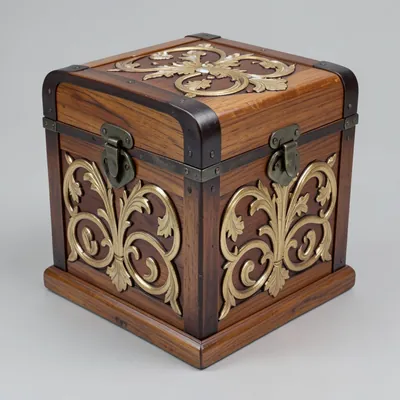
Elven craft - wood & mother-of-pearl
Polished wood with flowing vines, leaf carvings and fine mother-of-pearl inlays.
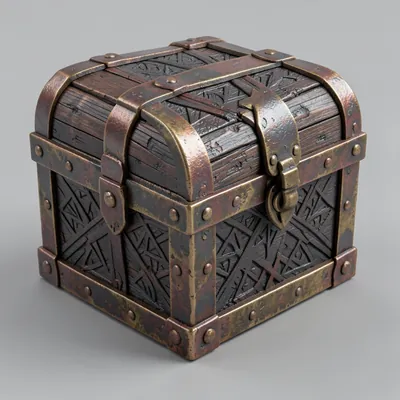
Dwarven craft - iron & brass
Solid hammered iron with brass fittings, rivets and angular engravings.
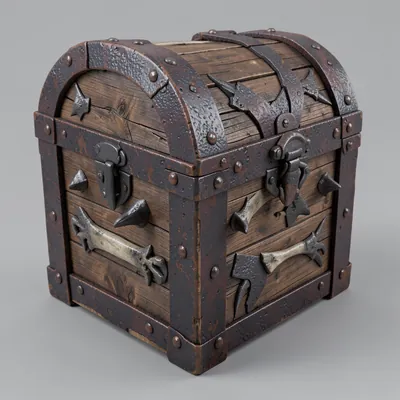
Orcish war-gear - bone & rust
Crude iron plates, bone reinforcements and blunt spikes, rusty and sooty.
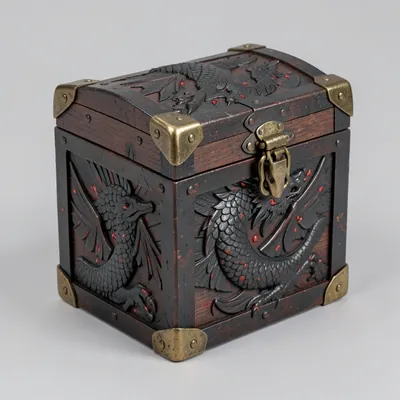
Dragon ornament - scale & ember
Blackened steel with scale reliefs, claw and wing motifs, plus ember-red accents.
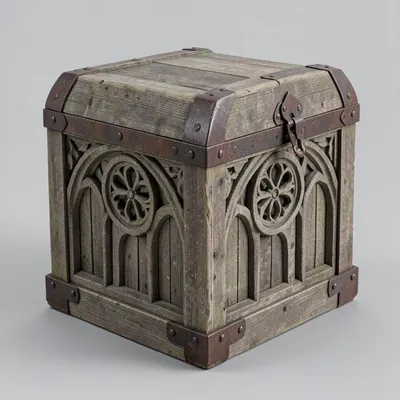
Cathedral Gothic - stone & tracery
Pale limestone with pointed arches, tracery and rose-window reliefs.
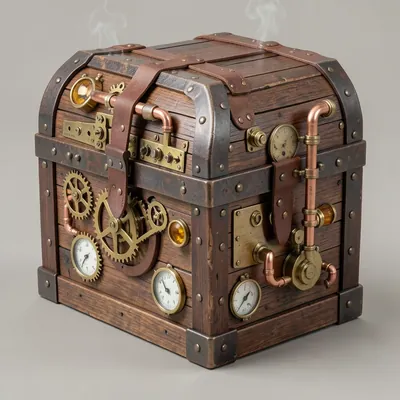
Clockwork - brass & copper
Brass and copper with gears, pipes and gauges, like a Victorian clockwork.
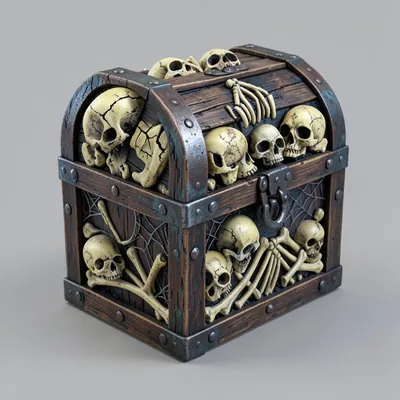
Necromancy - bone & silver
Yellowed bone, skull and rib motifs and cold silver, as if from an old crypt.
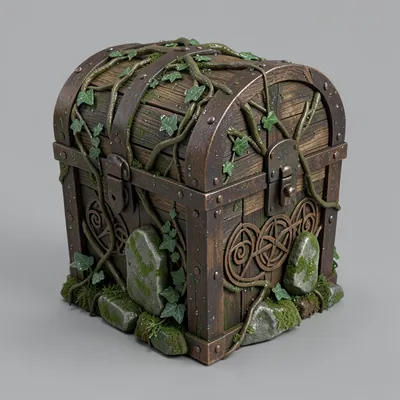
Druid grove - root & bronze
Root wood with bark, plus stone with Celtic spirals and aged bronze.
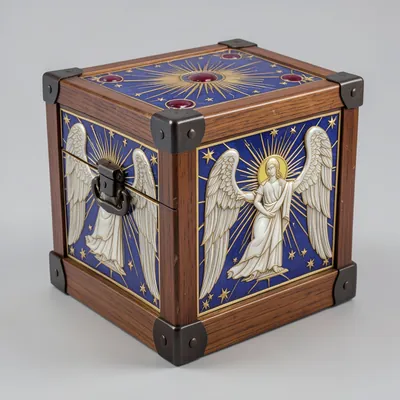
Celestial ornament - gold & stars
Polished gold with stars, medallions and coloured enamel inlays.
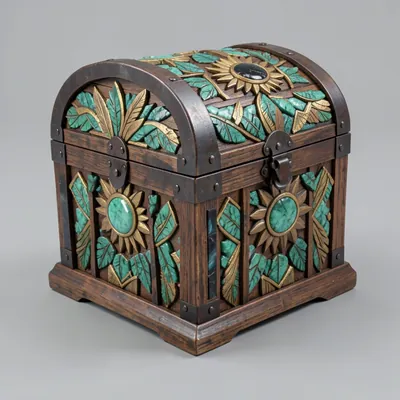
Sun cult - jade & feather relief
Stepped reliefs in jade and obsidian with sun discs and feather motifs.
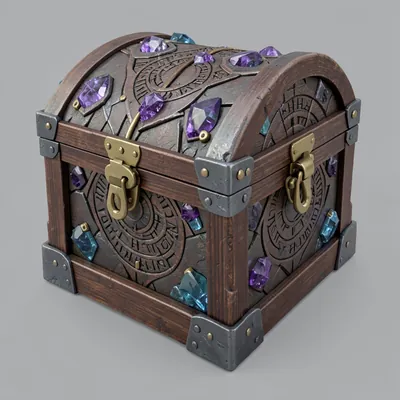
Arcane - crystal & rune
Set crystals, engraved runes and magic circles in stone or metal.
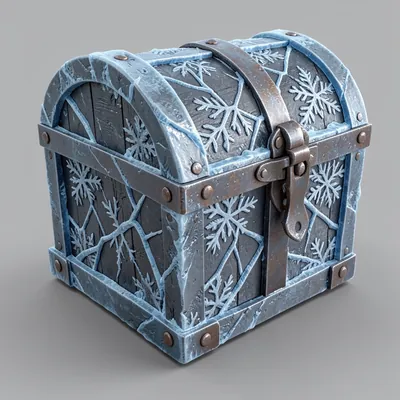
Frost - ice & steel
Dark steel under thick ice, with frost cracks and snowflakes.
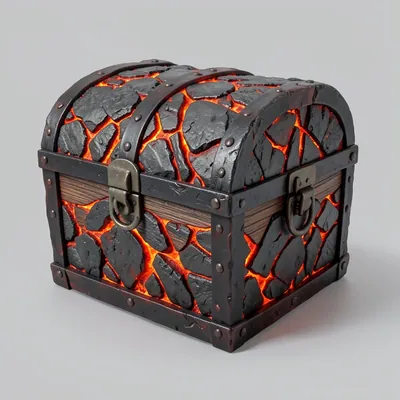
Inferno - obsidian & lava
Basalt and obsidian with glowing lava seams and heavy iron clamps.
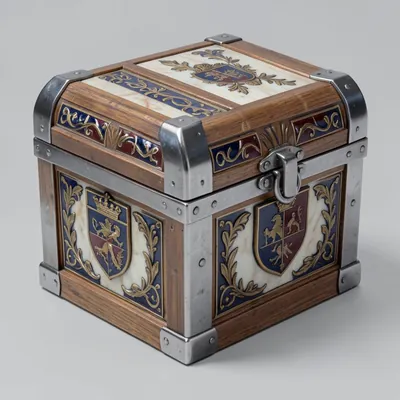
Royal court - marble & heraldry
Pale marble with coats of arms, laurel and crowns, with blue and red enamel.